
Table of Contents
Introduction
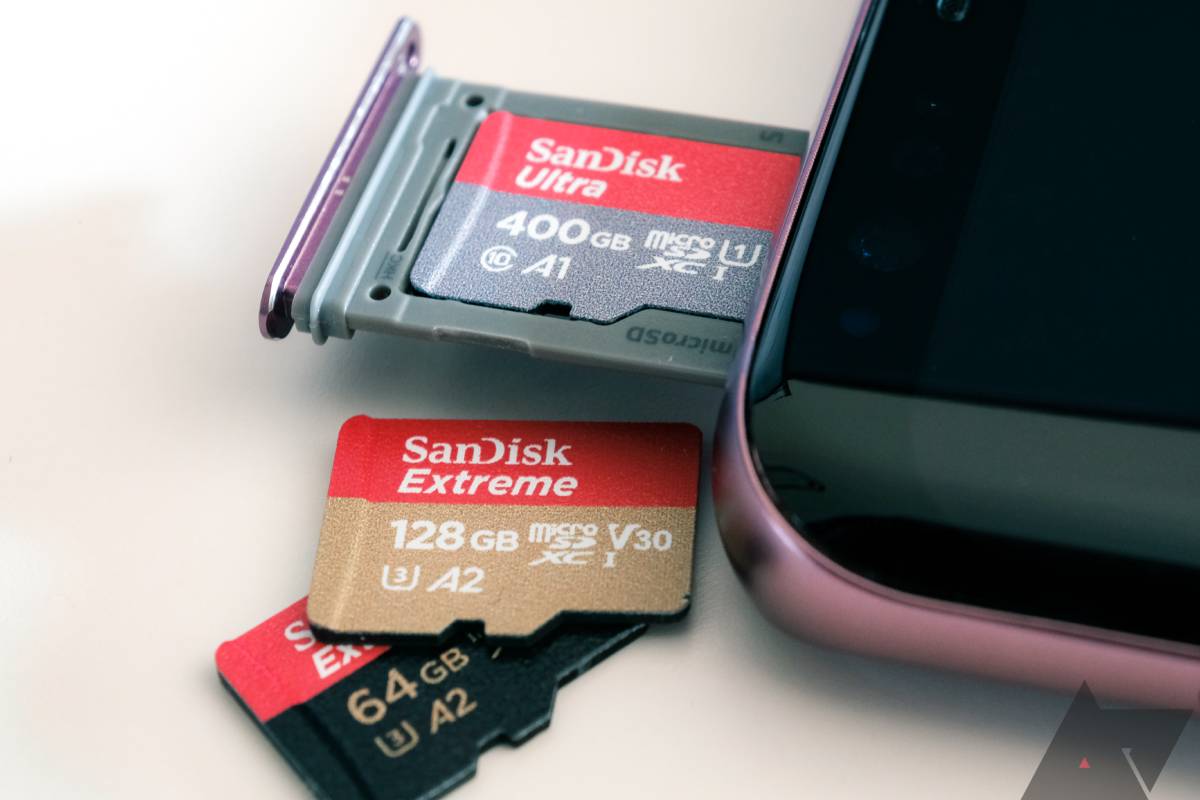
A microSD card is a tiny, removable storage chip you put into phones, tablets, cameras, or game consoles to add more space for photos, videos, apps, and music.
Everyday Storage for Smartphones & Tablets
| What it’s for | Example uses |
|---|---|
| Adding space to a budget phone | Storing more apps, music, and offline maps |
| Moving photos/videos off your device | Freeing up internal space for new content |
| Sharing files between devices | Taking the card from your phone to your tablet or laptop |
Typical sizes: 32GB, 64GB, 128GB
Speed needed: Class 10 / A1 (fast enough for apps and HD video)
Durable Cards for Dash Cams & Security Cameras
| Feature | Why it matters |
|---|---|
| High endurance | Designed to be rewritten over and over (cameras record constantly) |
| Temperature resistant | Works in hot cars or cold outdoor weather |
| Shock & water resistant | Survives bumps, rain, or a dropped dash cam |
Best for: Dash cams, home security cams, baby monitors
Typical sizes: 64GB, 128GB, 256GB
High-Speed Cards for 4K Video & Drones
| Need this if… | What to look for |
|---|---|
| You shoot 4K video on a drone or action cam | U3 or V30 rating (writes video smoothly without dropping frames) |
| You record in slow motion or high bitrate | V60 or V90 for professional cameras |
| You use a GoPro, DJI drone, or mirrorless camera | Card must say “UHS-I” or “UHS-II” |
Typical sizes: 128GB, 256GB, 512GB+
MicroSD Capacity Guide
| Capacity | Also called | Good for |
|---|---|---|
| 8GB – 32GB | Standard microSD | Music, documents, basic photos |
| 64GB – 256GB | microSDXC | Lots of apps, 1080p video, thousands of photos |
| 512GB – 1TB | High-capacity microSDXC | 4K video, drone footage, entire movie libraries |
| 2TB | Max theoretical limit | Future devices (few phones support 2TB today) |
Note: Some older phones only support up to 32GB or 64GB. Check your device specs first.
Where to Buy MicroSD Cards?
| Place | Pros | Cons |
|---|---|---|
| Amazon / Best Buy / Walmart | Big selection, reviews, easy returns | Fakes exist (stick to sold by Amazon.com, not 3rd parties) |
| Local electronics store (Micro Center, CEX, etc.) | See the product, no shipping wait | Higher prices |
| Phone carrier store | Convenient if buying a phone | Very limited selection |
| Avoid: eBay, AliExpress, flea markets | Cheap prices | Very high chance of counterfeit cards |
Pro tip: Counterfeit cards are common. They show a fake 512GB but actually hold 8GB and delete old files without warning. Always buy from a trusted seller.
Phone Internal Storage vs. microSD Card
| Internal storage (phone built‑in) | microSD card | |
|---|---|---|
| Speed | Very fast | Slower (but fine for photos, music, video) |
| Where apps run | Yes, and they open quickly | Some phones allow apps on card (adoptable storage) but apps can feel laggy |
| Photos & videos | Default save location | You can set camera to save directly to card |
| If the phone breaks | Data is stuck inside (often lost) | You can pop out the card and keep your files |
| Can you remove it? | No | Yes, and use it in another device |
Bottom line: Use internal storage for apps and daily stuff. Use microSD for photos, videos, music, and moving files between devices.
Worldwide Sales & Market Trends (Simple version)
- microSD cards are still selling billions every year, even though some phones dropped the slot.
- Big demand in: Dash cams, security cameras, drones, Nintendo Switch, and budget Android phones.
- Trend: Cards are getting bigger (1TB is common) and faster (V60/V90 for 8K video).
- Declining in: High‑end phones (Samsung, Google Pixel, iPhones never had a slot). But the overall market is stable because cameras and gadgets keep using them.
(In your document, this section would have a simple line graph showing flat or slightly growing sales from 2018 to today.)
Conclusion
A microSD card is a cheap, easy way to add storage. Pick one based on your device:
- Phone / tablet → 128GB or 256GB, A1 or A2 rated
- Dash cam or security cam → High endurance card (64GB–256GB)
- Drone or 4K camera → Fast card (U3 / V30 or better)
Avoid no‑name cards and deals that seem too good to be true. A reliable brand (SanDisk, Samsung, Kingston, Lexar) from a real store is worth the few extra dollars.
FAQs
1. Can I put a microSD card in any phone?
No. Many newer phones (Pixel, newer Galaxy flagships, iPhones) don’t have a slot. Check your phone’s specs for “microSD slot” or “expandable storage.”
2. What’s the difference between SD, microSD, and SDXC?
-
- microSD is the tiny size for phones and action cams.
- SD is the bigger size for laptops and regular cameras.
- SDXC just means “Extended Capacity” (over 32GB, up to 2TB).
3. Why does my 128GB card show only 119GB?
The card’s formatting and built‑in software take up a little space. That’s normal for all storage devices.
4. My phone says “card corrupted” – what do I do?
First try putting it in a computer to see if the files are okay. If not, you may need to reformat it (which erases everything). Always keep backups.
5. Can I use a microSD card in a Nintendo Switch?
Yes. The Switch supports microSDXC cards up to 2TB. Use a fast one (U3 recommended) for smooth game loading.
6. What does “A1” or “A2” mean?
It stands for “App Performance.” A1 and A2 cards are optimized for running apps from the card (faster random reads/writes). Get A2 for the best phone app performance.