
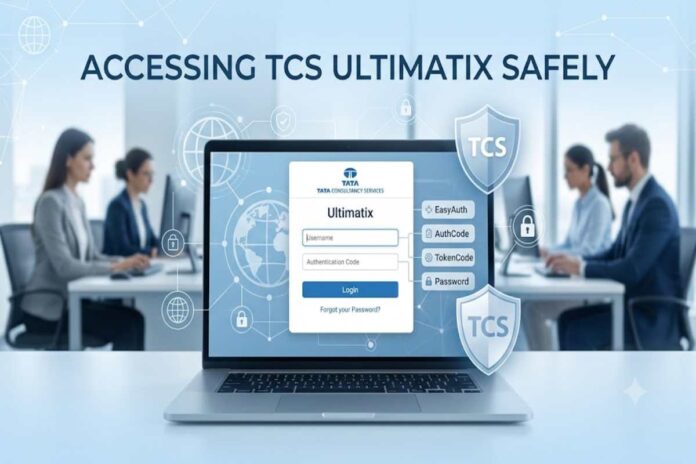
A common search query is www.ultimatix.login, but users should be careful about relying on third-party login pages or websites that imitate the portal. The safest approach is to use the official Ultimatix authentication domain and follow the login method available to your TCS account.
For Tata Consultancy Services employees, Ultimatix is an internal digital platform used to access various employee and business services. The login experience is not the same as a typical public website: access is restricted to TCS employees and affiliates, and authentication can involve additional security methods. The official Ultimatix authentication page currently offers EasyAuth, AuthCode, password and TokenCode options, depending on the account and login configuration.
Table of Contents
What Is Ultimatix?
Ultimatix is an internal digital ecosystem associated with Tata Consultancy Services (TCS). It provides authorised employees and affiliates with access to different internal services, applications and workplace resources.
Unlike a public service portal, Ultimatix requires authenticated access. The official authentication page explicitly states that entry is restricted to employees and affiliates.
| Feature | What it means |
|---|---|
| Organisation | Tata Consultancy Services |
| Platform | Ultimatix |
| Primary users | TCS employees and authorised affiliates |
| Access type | Restricted/internal |
| Authentication | Multiple login methods |
| Mobile support | Mobile authentication options are available |
| Security | Authentication codes, EasyAuth and token-based options |
| Help | Ultimatix helpdesk |
The important point is that Ultimatix is not designed as an open registration website. If you are not an authorised TCS user, simply visiting the login page will not provide access.
How to Access www.ultimatix.login Safely
The biggest mistake users make is searching for a login keyword and clicking the first unfamiliar result. Login portals are attractive targets for phishing because attackers can create pages that look similar to legitimate authentication screens.
The current official Ultimatix authentication page is hosted on the ultimatix.net domain and identifies itself as an Ultimatix service belonging to TCS.
For security, check the domain before entering your username, password, authentication code or token.
Basic login process
- Open the official Ultimatix authentication page.
- Enter your authorised username.
- Select the login method available to you.
- Complete the required authentication step.
- Continue to the requested internal service after successful verification.
The available login screen currently shows EasyAuth, AuthCode, Password and TokenCode options.
Ultimatix Login Methods Explained
One useful aspect of the current system is that users may have several authentication methods rather than relying exclusively on a conventional password.
| Login method | How it works | When you may use it |
|---|---|---|
| EasyAuth | Approve the authentication request through the authenticator | When EasyAuth is enabled |
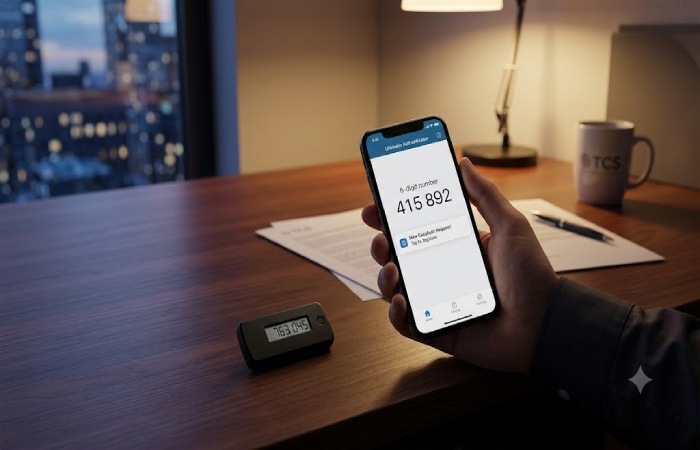
| AuthCode | Enter a code generated through the Ultimatix Authenticator app | When an AuthCode is required |
| Password | Enter your authorised password | Where password login is enabled |
| TokenCode | Enter a code generated by a hardware or software token | Where token authentication is configured |
The official page says an AuthCode can be generated using the Ultimatix Authenticator app. It also describes TokenCode as a code generated through either a hard token or software token.
EasyAuth
EasyAuth is designed to reduce the need to manually enter a traditional password. The current login interface instructs users to open the authenticator and tap the number shown on the login screen.
This type of authentication can be more convenient, but the user still needs access to the configured authentication device.
AuthCode
An AuthCode is generated through the Ultimatix Authenticator app. The login page specifically directs users towards the authenticator when this method is selected.
If the generated code is rejected, repeatedly guessing codes is not a good troubleshooting strategy. Instead, verify that the authenticator is functioning, the device has connectivity where required and the correct account is being used.
TokenCode
TokenCode authentication can use a software or hardware token. The official page explains that a hard TokenCode is displayed on a physical token, while a soft TokenCode can be generated using the PIN associated with the software token.
This distinction matters because users sometimes confuse an authenticator-generated code with a token-generated code.
What If the Ultimatix Login Page Does Not Work?
A failed login does not necessarily mean your account is disabled. The problem could involve the browser, authentication method, network connection, credentials or the authentication service itself.
The official page provides both “Forgot Account Details?” and “Trouble Logging In?” options, indicating that account-recovery and login-support routes are built into the authentication process.
| Problem | What to check first |
|---|---|
| Login page does not load | Internet connection and browser |
| AuthCode rejected | Generate a fresh code and verify the authenticator |
| EasyAuth unavailable | Check the authenticator and try another authorised method |
| TokenCode rejected | Confirm you are using the correct token |
| Password unavailable | Check whether password authentication is currently enabled |
| Forgot credentials | Use the account-recovery option |
| Internal service unavailable | Try again later or contact the official helpdesk |
| Repeated authentication failure | Contact TCS/Ultimatix support rather than repeatedly guessing |
The official login page also notes that password authentication may not always be enabled and encourages users to use other available authentication methods.
Why You Should Avoid Unofficial www.ultimatix.login Websites
Searches for www.ultimatix.login can produce confusion because users may interpret the phrase as an actual web address. It is better treated as a search term rather than assuming that every domain containing similar words is legitimate.
A genuine authentication page should be checked carefully before credentials are entered.
Security checklist
| Check | What to look for |
|---|---|
| Domain | Verify the official Ultimatix/TCS domain |
| HTTPS | Confirm the connection is encrypted |
| Login request | Be suspicious of unexpected credential requests |
| App instructions | Follow authentication instructions from the official portal |
| Email links | Avoid clicking unexpected login links |
| Password | Never disclose it to another person |
| AuthCode | Do not share authentication codes |
| TokenCode | Never give a token code to someone claiming to need it |
| Browser | Keep your browser updated |
A particularly important rule is simple: never provide an authentication code to someone over phone, email or chat just because they claim to be from IT support.
Is www.ultimatix.login an Official Website?
The phrase www.ultimatix.login should not automatically be treated as an official domain.
The current official authentication results point to Ultimatix infrastructure under the ultimatix.net domain, and the login page identifies Tata Consultancy Services as the organisation behind the service.
Therefore, users should verify the actual domain in the browser address bar instead of assuming that a search phrase represents the correct URL.
This distinction is especially important for employees searching from personal devices, where browser autocomplete, advertisements and third-party pages can create additional confusion.
Ultimatix Authenticator and Mobile Login
Ultimatix also provides mobile authentication functionality. The official mobile authentication service displays EasyAuth, AuthCode, Password and TokenCode options and refers users to the Ultimatix Authenticator through Ux Apps.
For employees who regularly access internal services, keeping the authorised authentication setup available can make the login process considerably easier.
However, installing an app from an unofficial source is risky. If the portal directs you to an application, use the official TCS-provided route rather than downloading an APK or authentication application from an unknown website.
What Should You Do If You Forgot Your Ultimatix Details?
If you cannot remember your account details, do not repeatedly enter random credentials.
The official login interface includes a Forgot Account Details? option.
A sensible recovery sequence is:
- Open the official Ultimatix authentication page.
- Select the account-recovery option.
- Follow the instructions shown for your account.
- If recovery is unsuccessful, use the official support route.
- Avoid third-party “account recovery” services.
The official authentication page lists Ultimatix.helpdesk@tcs.com as a support contact for login-related assistance.
Ultimatix Login on Mobile vs Desktop
There is no single best device for every user. Desktop access may be more convenient when working with multiple internal applications, while mobile authentication can be useful when approving authentication requests or generating codes.
| Factor | Desktop | Mobile |
|---|---|---|
| Login screen | Convenient for workplace use | Convenient when travelling |
| Authenticator | Can be paired with mobile authentication | Directly available on the device |
| Larger display | Better | More limited |
| Internal applications | Often easier to navigate | Depends on the application |
| Authentication approval | May require another device | Can be convenient |
| Troubleshooting | Browser settings can matter | App/device settings can matter |
The better choice depends on the specific TCS service you are accessing and the authentication configuration assigned to your account.
Common www.ultimatix.login Mistakes
Several problems are caused not by the portal itself but by user behaviour.
Using the wrong website
Do not assume a domain is genuine simply because it contains the word “Ultimatix”. Verify the official domain before entering sensitive information.
Sharing authentication codes
An AuthCode or TokenCode should be treated as sensitive authentication information. Sharing it can potentially allow another person to complete an authentication process.
Repeatedly trying expired codes
Authentication codes may be time-sensitive. If one fails, generate a fresh authorised code rather than repeatedly submitting the same value.
Using outdated instructions
Login systems change. Older articles may describe password-only access even though the current interface provides EasyAuth, AuthCode and TokenCode options.
This is one reason current official instructions should take priority over old blog posts.
Frequently Asked Questions
What is www.ultimatix.login used for?
It is a search phrase commonly associated with the TCS Ultimatix employee login. The actual official authentication infrastructure currently uses the ultimatix.net domain.
Who can access Ultimatix?
Access is restricted to TCS employees and authorised affiliates.
Can I log in without a password?
Depending on your account configuration, you may be able to use EasyAuth, AuthCode or TokenCode instead of a conventional password.
What is Ultimatix AuthCode?
It is an authentication code generated through the Ultimatix Authenticator app and used as one of the available login methods.
What is a TokenCode?
A TokenCode is generated using an authorised hardware or software token.
What should I do if Ultimatix is not working?
Check your connection, browser and authentication method first. If the issue continues, use the official login-support options or contact the Ultimatix helpdesk.
Is Ultimatix available on mobile?
Yes. TCS’s Ultimatix authentication infrastructure includes mobile authentication services and supports authentication methods such as EasyAuth and AuthCode.
Final Verdict
www.ultimatix.login is best understood as a search term for reaching the TCS Ultimatix login rather than as a domain that users should automatically trust. The current official authentication system is hosted on the ultimatix.net infrastructure, restricts access to TCS employees and affiliates, and supports multiple authentication methods including EasyAuth, AuthCode and TokenCode. For beginners, the safest approach is straightforward: verify the domain, use the authentication method assigned to your account, never share passwords or authentication codes, and use the official Ultimatix helpdesk when normal recovery options do not resolve the problem.