Home Blog Page 16

7 WordPress Landing Page Myths You Should Stop Believing

0
WordPress

Having a WordPress website of your company or a personal blog is all about traffic and marketing – you want to make it more popular and get more people to convert to customers and hope for the best.

Landing pages are usually the pages that drive traffic instantly and have the potential to increase your conversions overall if handled correctly. A leading WordPress agency such as DevriX can be of great help to make sure your site and landing pages are built to have excellent performance.

As there is a lot of misinformation on what works and what doesn’t to be taken with a pinch of salt, keep reading to find out what landing page myths there are out there, and the true solutions to them.

Choosing the Best WordPress Hosting is crucial not just for general site performance but also for maximizing the effectiveness of your landing pages. By debunking these common myths, you can better understand the importance of investing in high-quality hosting to ensure your WordPress landing pages perform optimally.

You Leave The Landing Page As It Is

Same as most things in life, if you want a good result, you have to put in the effort. Same goes for landing pages on WordPress – you need to create a few different samples and split test them to compare the results.

What design brings you more conversions, do site visitors prefer a short or a long form, what about the color of the CTA button? These are just a few of the things you need to delve into before you make a decision.

Tools you can use to do A/B split testing on WordPress are Google Optimize, WordPress Calls To Action, WordPress Landing Pages and many others.

You Only Need A Few Landing Pages on Your Site

Perhaps you believe it only makes sense to bother with creating a landing page on your ‘Order’ and ‘Contact Us’ pages? Unless your business is packed with customers to the extent you can’t take any more, you need to invest in landing pages big time to make your lead generation efforts count.

They are opportunities to bring more traffic to your WP website, and this goes with more visitors who (hopefully!) turn into leads who end up as paying customers. Each landing page is indexed separately by Google which benefits your site’s SEO. SEO on WordPress is quite easy – just download the Yoast SEO plugin and do the recommendations.

Also, let’s not forget the importance of off-page SEO known as link building. The more landing pages your site has, the more chances you have to build high authority links to each one which will save a potential lead a step. After all, the whole point of a company website and landing pages is to bring more prospects who convert.

Last but not least, landing pages make conversions measurable – how many people filled in the form, clicked or bounced on an offer? In order to monitor and act on the positive results, you need to have a testing ground.

Short Forms On Landing Pages Are Better

Like the first two myths, this one sounds pretty reasonable at a first glance, right? The more information fields the visitor would have to fill, the more likely it is for them to just leave the page. Well, not necessarily. As discussed above, split testing and analytics are key here so it really depends on the nature of the business and its customer personas’ needs and wants.

For example, if the landing page you’ve built is prompting people to sign up for your newsletter, you really only need their emails, not even their full name, let alone mobile number, address, job role etc.

However, if your business is an insolvency practitioners firm, you would really need some more information from a lead because of the specificity of the services you provide. Do they have a debt management problem or are they looking to invest? Are they a sole trader or do they own a company? In this case, apart from the email, you’d probably need their number and some details on their situation so you can call back and potentially arrange a face-to-face consultation.

Conversion Rate Is The Ultimate Metric for A Landing Page

While conversion rate is indeed an important metric to track and keep into account, it doesn’t really say much if analyzed on its own. Essentially conversion rate demonstrates the percentage of a page’s visitors who take the desired action.

As typically landing pages are pretty much to the point and serve one single purpose (like a Black Friday offer, or a new webinar sign-up form), the conversion rate doesn’t really show the percentage of people who actually become customers or take the desired action and then unsubscribe.

Therefore, you shouldn’t focus only on increasing the conversion rate of your landing pages as it is not an indicator of the success of the page itself. To maximize your wins, monitor the behavior of visitors before and after they land on the page. How did they end up there, what is the route that gets you the most number of sessions, have you segmented them and worked out the steps for each group?

Copying Good Landing Pages Guarantees Success

If a landing page is performing well, why not copy it on your website? Although it makes sense at a first glance, there are plenty of factors you need to consider before bluntly copying someone else’s hard work.

First and foremost, Google hates duplicate content and the least you can get as a result is poor SEO rankings. Or end up with a penalty that would affect your entire website. Either way, you would be at a loss so it is not recommended to take such risks.

Instead, do your own research and gather examples of landing pages that have a concept similar to yours. Make sure the companies they belong to have services similar to yours. Analyse what you have found and use elements and features you liked making them your own. That way, you avoid copying but instead, get inspiration and tweak these ideas to your specific goals.

Of course, there are golden rules about what makes a landing page successful that everyone follows – so, sticking to them is going by the book rather than copying someone’s work.

Work

Some of these include:

  • Clear and comprehensive value proposition combined with a defined call to action – with landing pages, it’s all about the conversions on your new campaign/ sale/ product launch/ webinar/ course/ newsletter etc. Hence, cutting straight to the point and telling your potential prospects what your solution to their problem is, how it will adds value to their ways and how to get it are a must (what, why and how);
  • Visuals – it’s a well-known fact that visual content keeps your audience on for longer; it is more absorbable by people and search engines.
  • Reviews, badges and testimonials – having social proof on your landing page to back up your brand is invaluable
  • Optimize for page speed and mobile – it’s a shame to put all your efforts building a landing page if it takes too long to load. Not only does it increase the bounce rate of the page, but it also affects your position on SERPs. Also, optimize the page for mobile as this is a ranking factor, too. According to Statista, mobile internet traffic is more than 55% of the total web traffic worldwide – make sure you don’t lose these potential customers.

You Shouldn’t Insert Outbound Links On A Landing Page

External links on your landing page can indeed damage your conversion rates as they could distract the site visitors from your call-to-action.

Having said that, links on landing pages can be beneficial if handled correctly.

Unless your landing page content is above the fold, you could in fact boost traffic by including a navigation bar to ease the prospects through the rest of your website.

Also, if you are a services company or have an eCommerce store, including links to customer reviews and testimonials could add just the right amount of word of mouth validation that a lead needs to become a customer that trusts your brand. According to Cience, 54% of top landing pages include testimonials.

Videos on Landing Pages Distract Potential Customers

Videos and visual content in general tend to be considered as good UX. However, if they affect the loading speed of a page or are quite irrelevant to the rest of the page content, your web page visitors will bounce on the spot never to be seen again.

As with all the myths explored above, of course it all depends on careful strategizing and research to utilize a video to your advantage.In Wizowl’s 2021 video marketing survey, it is stated that 93% of video marketers report that video gives them a positive ROI.

In order to make a video on a landing page work for you, you need to ensure it is on point and connected to the specific offer you advertise on the page. Otherwise, you risk distracting that user and pushing them off-page).

Also, as video typically requires more resources i.e. more time and money, repurpose it for other social channels to maximize results. Don’t forget to write a script before filming and include your CTA and cues across the content to make it easier for the user to know what to do.

Final Words

Building a landing page on WordPress can prove to be a very daunting task with all the misleading information out there. Make sure you split test, analyze, research and seek professional web developer’s help if in doubt.

Cant Take Screenshot Due to Security Policy – Find the Solution

0
Cant Take Screenshot Due to Security Policy – Find the Solution

I Cant Take Screenshot Due to Security Policy – ReasonCant Take Screenshot Due to Security Policy - Reason

Cant Take Screenshot Due to Security Policy: The screenshot helps send valuable information precisely as it appears. Seeing the message “Unable to take screenshots due to security policy” when trying to take a photo of your screen.

You can take screenshots on Facebook. But suppose it shows “Unable to take screenshots due to security policy.” In that case, you might be using Facebook in incognito mode, and the reason for blocking screenshots is due to the security policies of the Navigator.

Its purpose is to prevent the leakage of sensitive information, unauthorized access, accidental sending of private information, etc.

Why is there a Screenshot Restriction? Cant Take Screenshot Due to Security Policy

The most common reason we cannot take a screenshot is the security policy of specific applications. Unfortunately, it happens frequently on Android devices. However, there are a few options to get around the restriction.

You can often see this screenshot security policy error message in banking apps, Telegram, Google Drive, Facebook, Firefox and Chrome, etc.

Most smartphones have the same policy since they have the same operating system. Even the Apple device has the same security policy as the iOS device. Some tips will allow you to take screenshots if you cannot take screenshots.

Cant Take Screenshot Due to Security Policy – Fix itCant Take Screenshot Due to Security Policy – Fix it

Option 1: Download any third-party software that takes screenshots.

Allow screenshot and voila.

Option 2: To capture information from the screen of restricted apps.

Apps like Facebook, Netflix, etc. Firstly, there is no necessity to install any third-party app. Your Google Assistant can do this for you very quickly. All you need to do is:

  • Stay on the page you want to capture.
  • Open your Google Assistant with the command “Ok Google” or “Ok Google.”
  • Say “What’s on my screen” or tap the quick questions option.
  • Now tap Share screenshot.

In this way, Google will provide you with a screenshot that you can easily share in other apps.

Option 3: Enable from Settings

However, if your Google cannot do this, you can enable it from settings by following the steps mentioned below:

  • Open the wizard
  • Tap your profile icon.
  • Tap to open settings.
  • Go to the Assistant option.
  • Scroll to “Use screen context” and press the switch to turn it on.

It helps to use screenshots in restricted apps also.

Option 4: Media Storage Authorization

  • Sometimes the screenshot notification does not appear for security reasons.
  • It seems because you don’t have write permissions for its storage.
  • It happens most often with phones that use SD cards.
  • It should allow saving the screenshots to your SD card.
  • The easiest way to do this is to open the settings and go to the applications.
  • Once you get to Apps, you can tap on, the three dots in the upper right corner of the display.
  • Then click on Show system apps, find Media storage, and tap On.
  • It should allow all possible media storage.

Option 5: Delete Company Account

  • If your phone is associated with a corporate account, your company may have a “no screenshot” policy.
  • But don’t worry, you can quickly fix this problem. There is only one thing you must do.
  • You should contact your company’s IT department to resolve this issue or remove the account associated with the policy.
  • Go to Settings> Accounts & Backup> Accounts, then find the app or account that you need to delete, tap it, and tap Remove account. It will permanently stop the notification.

Check Can You Put Aluminum Foil in the Microwave – Yes Or No?

0
Check Can You Put Aluminum Foil in the Microwave

Overview of Can You Put Aluminum Foil in the MicrowaveOverview of Can You Put Aluminum Foil in the Microwave

Can You Put Aluminum Foil in the Microwave: Microwaves are found in millions of homes and offices worldwide. It is the incredible invention of the 20th century. The electric fields of the microwaves circulate charges through the metal, and these streams immerse thin pieces of metal like aluminum foil, causing them to heat up so fast they can ignite.

The walls inside a microwave oven are complete of metal. It turns out that a relatively thick piece of metal works a bit like a mirror. But instead of reflecting an image, it reflects microwaves. If you put food in a heavy metal saucepan and put it in the Microwave, it would not cook. The pan would protect the food from the Microwave, so the food would never get hot.

Examine Can You Put Aluminum Foil in the Microwave?

Indeed, microwaves are not suitable for cooking food stored in thick pots. However, when it comes to thin metal parts like aluminum foil, etc., microwaves tend to heat them very quickly, which may cause fire or explosion. Also, if the foil is crumpled, it can form sharp edges through which electric current will pass and cause sparks. If these sparks tend to hit anything else in the oven, it can lead to significant fires and, therefore, accidents.

Review – Can You Put Aluminum Foil in the Microwave?

  • The study found some differences in its time to heat products in containers with aluminum foil and plastic trays. Due to variations in heating modes and depending on the geometry of the tray and the type of food, the heating times of foil wrappers were sometimes longer.
  • The study also provides exciting results regarding heating patterns and heating uniformity. In some cases, they seemed to be best on foil trays.
  • Aluminum foil reflects microwave energy instead of absorbing it. It can be beneficial if the user wants to protect the food from heating or overheating.
  • For example, it is advisable to wrap thin portions of turkey or chicken thighs in foil to avoid overheating. It has been done commercially in a frozen meal with protein (meat or fish), vegetables, starch, and ice cream, where the latter is completely covered with foil and remains frozen.
  • The blade’s exposed edges form a spark due to a high electric field along the blade’s edge. But this doesn’t always happen, mainly when a load of reasonably sized food in the oven absorbs microwaves well and reduces the electric field.
  • So when it comes to whether you should microwave foil, the answer is yes and no. Yes, you can place it inside the Microwave to the point where it is safe to reheat your food. No, incorrectly putting foil in the Microwave can cause arcs or sparks, smoke, and fire.

Guidelines – Can You Put Aluminum Foil in the MicrowaveGuidelines - Can You Put Aluminum Foil in the Microwave

Aluminum foil is safe to use in a microwave oven. However, the following guidelines to be followed for the proper use of aluminum foil when cooking in the Microwave:

  • The aluminum foil protects portions of food from overcooking.
  • It should be a small amount of foil and squeeze close to food when applied. Do not stick or move any sheet of the food product.
  • The “flags” or pieces of aluminum foil detached from the food will act as an antenna, which could cause an electric arc.
  • Do not wholly cover food with aluminum foil. Do not leave metal ties on bread wrappers or other food in plastic bags when reheating in the Microwave. Twisted metal flanges act like an antenna and cause arcing and could damage the oven.
  • A metal claw will need to be left on a turkey while thawing a bird.
  • However, remove the clamp once the bird has thawed and is ready for microwave cooking.

Two Factor Authentication – Definition, Method, Steps, Forms, and More

0
Two Factor Authentication

What is Two Factor Authentication?

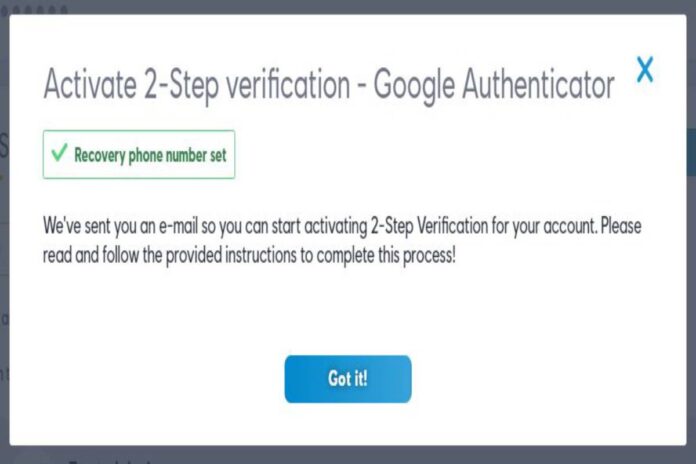
  • A Two Factor Authentication is a tool offered by several online service providers, which serves the purpose of adding a layer of security to the login process of your Internet accounts.
  • The mechanics are simple: when the user logs in to his online service account, this tool asks him to authenticate the ownership of his performance, providing two different factors.
  • The first of these is the password. The second can be several things, always depending on the service.
  • In the most common of cases, it is usually a code sent to a mobile phone via SMS or to an email account.
  • The fundamental essence of this tool comes down to the fact that you must “know something” and “own something” if you want to log into one of your accounts.

Methods

  • While two-factor authentication is not a foolproof method, it is an excellent barrier to preventing unwanted intrusion into your online accounts.
  • What is Knwoledge Management System (KMS): It is public knowledge that passwords have a double edge:
  • The weakest are easy to remember but very easy to deduce.
  • And the strong ones can be difficult to guess, but they are also challenging to remember.
  • Thus, many people, who are not already good at creating strong passwords, use the same password for all their accounts.
  • In this sense, two-factor authentication essentially achieves that an attacker has to decrypt the user’s password and access a second factor.
  • It is much more difficult to obtain, and that would involve either stealing a cell phone or compromising an email.

Best Secure System

  • Client Management System: If the two-factor authentication system is secure, then it is the best protection you can have in these cases.
  • There is a second benefit that this tool provides, and that is that it lets you know when someone has tried to enter your account without authorization.
  • If you receive a code to access your account on your mobile or in your email and you were not the one who tried to log in.
  • It is because someone has guessed your password and wants to enter your profile.
  • If this happens, you must change your password immediately.

In which accounts should you activate Two Factor Authentication?

  • The rule is simple. If the service you use offers a Two Factor Authentication tool and that account is valuable to you.
  • You should activate it.
  • In simple words, the priorities should be your online bank accounts, your email.

Are there other forms of two-factor authentication?

  • In addition to mentioned, there are tools as RSA’s Secure ID, a generator of chained codes and is typically using in the corporate sector.
  • Along with the previous ones, are the most used, although there are still more:
  • The Transaction Authentication Number (TAN) is an old form of two-factor authentication used in the past.
  • They were popular in Europe, and it was in the following way:
  • Your bank would send you a list of TAN’s and every time you had to make a money transaction, you had to enter one of these codes.
  • The ATM also works as a two-factor authentication tool, like something you must “know” -your PIN- and something you must “have” -your debit card.
  • Currently, many companies implement biometric technologies that serve the same functions.
  • Some systems require a personal password, scanning the fingerprints, the pupils, or even the users’ heartbeat.
  • On the other hand, wearable devices are catching on as well.
  • Some systems require that you wear a unique bracelet or some other accessory with a built-in chip.
  • Some scientific papers already speak of electromagnetic tattoos that could be helpful for these same purposes.
  • Google and Facebook have their applications to generate codes.
  • It allows users to create their unique access codes instead of receiving them by SMS or email.

Also Read: Apple Mini – Definition, Specifications, Ideal Choices, and Reviews

  • KNOW MORE:- smartmores

Why am i getting so many spam calls on my Cell Phone – Queries and Solutions

0
Why am i getting so many spam calls on my cell phone

Why am I getting so many spam calls on my cell phone?

  • One situation is Why am I getting so many spam calls on y cell phone are probably aware of receiving it at the worst possible time.
  • Can get it either during the meal, during a break, or at inappropriate times, such as at night.
  • In many cases, these calls are from commercials or simply spam calls, which causes a lot of annoyance to users.
  • Luckily, you can watch there are ways to block them on Android.
  • Many companies continue to use some very aggressive techniques when selling their products or services; this is very annoying and invasive for users.

Solutions using techniques to avoid spam calls

Of course, there are always solutions to avoid this type of spamming calls: both avoid them at the root and by blocking them on the mobile.

1. Robinson List

  • First of all, there is what is possibly the best-known option for everyone.
  • For years there has been in Spain the so-called Robinson List, an advertising exclusion list.
  • This means that the people whose phone number appears on that list expressed their wish not to receive commercial calls.
  • Companies that want to know what phone numbers they can call and which ones they don’t have to pay to see these lists.
  • Thus, if a company sees that a certain phone number is in it, the most common thing is that it does not bother you.
  • Consumers who want to can register for free on the Robinson list website.
  • The process is straightforward and takes a few minutes to complete.
  • It should be in mind that it does not work immediately since from the Robinson List inscription until the commercial or spam calls are stopped, it can take up to three months.
  • Usually, it is less, but it still takes a few weeks before they stop being received.

2. Spanish Agency for Data Protection

  • This is a more extreme step if the first one fails, as there may be companies that skip the Robinson List.
  • In this case, as the consumer has asked not to receive commercial calls on their smartphone or landline, they must go further.
  • More than three months are completed since the date you were registered on the Robinson List, and calls continue to be received, then we can report them to the Spanish Data Protection Agency.
  • Also, it is good to do this because more consumers have the same problem with that company, which may cause the action to be taken more urgently.
  • The normal thing is that repeat offenders are fined. The amount of these fines varies, but they are usually large.
  • On the web, there is more information on consumer rights and how you can report a company.

3. Google phone app

  • On many occasions, these commercial or spam calls occur on the smartphone.
  • For this reason, Google introduced a series of tools in Android, first in the Pixels, that prevent spam calls.
  • In the phone application, you can add phone numbers that you want to block. If there is a company or commercial that calls, it can be blocked manually, which will prevent the number from ringing again.
  • Also, this call blocking will improve very soon thanks to the new function in which it works in the phone app.
  • There are brands and mobile phone models that include their own phone app with more or less anti-spam functions.
  • Research your application to see if it has anti-commercial call tools.

4. Google assistant

  • Google Assistant has become another essential tool for Google.
  • At the end of last year, the assistant detects unwanted calls when received by an Android smartphone was announced.
  • A function that has to be expanded worldwide, but that shows the assistant’s importance in Google’s strategy.

Ultra short throw projector – Definition, Improvements, Design, and More

0
Ultra short throw projector

What is Ultra short throw projector?

  • The Ultra short throw projector has gained a foothold in the market for years with its remarkable performance.
  • The quality of its projections is increasing, and it is evident that it facilitates installation work a lot, without requiring minimum distances or complicated installations.
  • Now, Samsung introduces a new ultra-short-throw projector that will also be the first to support HDR10 +.
  • It is not a revolutionary milestone far from it, but the HDR10 + is one more step in the search for the perfect color.

Developing and Improvements

  • It is developing by Samsung and Amazon (it is freely accessible to anyone who wants to implement it).
  • The HDR10 + promises a significant improvement in color processing in real-time.
  • With the 4K resolution that this new projector can develop, it will allow you to enjoy the cinema (or of the images that we project with Best free project management software) with an excellent viewing quality.
  • To those mentioned above, we must add that Samsung will present two different models, one with the capacity to develop up to 120 inches.
  • Another thing that will raise the figure to 130 inches is with a power of up to 2,200 and 2,800 lumens, respectively.
  • And all this without forgetting the Filmmaker Mode (a technology promoted by leading film directors.
  • It deactivates non-essential functions to make images look similar to how they shoot).

Specifications

  • With the extensive connectivity that they will include, as is logical, there will be no lack of connections, HDMI, sound, or USB, to reproduce what you want from the digital link.
  • The 120-inch (LSP7T) and the 130 (LSP9T) will be available from January 2021.
  • Prices are around € 4,500 in the case of the first and just over € 7,500 in the first.
  • The computer has two screen sizes, and the projector locates a few inches from the wall.
  • This one comes equipped with live TV features, popular streaming apps, and a remote with the Google Assistant.
  • One of the main concerns of projector manufacturers is that some homes are too brightly lit.
  • And also, it does not always lead to excellent image quality.
  • That’s why Epson insists that the LS500 will produce a high-contrast quality image no matter where you are in the home.
  • However, this will primarily be due to the projector screen.

Working and Designing

  • The company ensures that its screens work “in virtually any viewing environment.”
  • The displays come in sizes of 100 and 120 inches, and Epson says they both display content with almost zero reflections.
  • They also offer a high contrast ratio designed to intensify deep blacks.
  • The projector supports most 4K HDR content at 60Hz and 12-bit analog-to-digital video processing.
  • Projecting content at 4,000 lumens, Epson says the LS500 is designing with all-day viewing in mind.
  • The Epiq-Vision Ultra LS500 is now available in black and white shades.
  • The projector with a 100-inch screen will retail for $ 5,000, while the 120-inch version will cost $ 6,000.
  • That is part of the goal of the new Epson Epiq-Vision Ultra entertainment line that the company launched this Wednesday.
  • Along with its LS500 4K PRO-UHD laser matrix projector, it is a short-throw model with Android TV technology.

Razer phone 2 – Features, Design, Performance, and Review of Razer phone 2

0
Razer phone 2

How does Razer phone 2 work?

  • Razer phone 2 highest refresh rate of any smart phone display, outstanding high-end specifications, and impressive dual front stereo speakers.
  • The original Razer Phone brings us one of the first “gaming phone” experiences.
  • The display is dim, and the camera did not fare well against the competition.
  • And also, the Razer Phone 2 aims to fix these issues and problems with a host of improvements and new features.

Review of Razer phone 2

1. Design

  • The phone has a good build quality and exudes a premium feel, but it’s thick, heavy, and isn’t a comfortable phone to hold.
  • With the glass back’s exception, the Razer Phone 2’s design did not change much from the original Razer Phone.
  • They make the rest of the body from metal, last year’s model, and it retains the similar sharp, boxy, rectangular aesthetic.
  • In an ocean of smartphones with curvy lines, rounded corners, and thin designs, the Razer Phone 2 offers a stark contrast.
  • The Razer Phone 2’s design approach is much more official and industrial, and it may not be to everyone’s taste.
  • AI prefers phones with sleeker designs, and the Razer Phone 2 doesn’t appeal to me.
  • The phone has a build quality and exudes a premium feel, but it’s thick, heavy, and isn’t the most comfortable phone to hold.
  • The switch on a glass back means the razer phone is now more prone to fingerprints but did this more for function.
  • The glass lets the Razer Phone 2 support wireless charging. Fingerprints and smudges are the prices to pay for charging the Razer Phone 2 wirelessly.
  • This year, Razer adds IP67 dust and water resistance, which was missing last year.
  • The addition of these two amazing features is a smart move on Razer’s part to keep its flagship competitive, as wireless charging and water-resistance are stapled features on most high-end smartphones.

2. Display

  • Razer bumps up the screen’s brightness over last year’s display, drastically improving its outdoor visibility.
  • Further, the screen of the Razer Phone remains mostly identical to the first Razer Phone.
  • It has a 5.7-inch LCD with a 16:9 aspect ratio and a 2,560 x 1,440 resolution and speed.
  • The screen is bright, colorful, with good contrast and levels for an LCD—Razer phone with the screen’s brightness over last year’s display, drastically improving its outdoor visibility.
  • The primary and secondary purpose of the 120Hz display is for a smoother and immersive gaming experience and even makes swiping and scrolling through Android more enjoyable.
  • The main attraction to the phone display is the 120Hz refresh rate.
  • The greater refresh rate makes everything look efficient, smoother, and more fluid, letting you see more frames and screens just like a high refresh rate monitor on a gaming PC.

Also Read: Best Anime 2019 – Description and Three Best Anime Series 2019

  • MORE INFO:- itechhit

The Sound of Silence in a Library

0
The Sound of Silence in a Library

Stillness That Speaks Volumes

There is a kind of quiet found only within library walls. It is not the absence of sound but the presence of something deeper. Like standing at the edge of a lake at dawn there is a hush that holds weight. Whispered footsteps across wooden floors, rustling pages and distant chairs being drawn back become the loudest sounds in the room.

This silence does not press down. It lifts. It gives space to thought. Ideas breathe in silence and readers follow their trail through rows of stories and facts and secrets wrapped in cloth and card. A library’s hush holds its own kind of music. Every sound that breaks it gains meaning. A cough is not just a cough. It is a marker of someone pausing mid-thought mid-sentence.

A Shared Agreement Without Words

No sign needs to tell what to do. The quiet is not forced. It is offered and accepted. Strangers agree to lower their voices or not speak at all. The silence becomes a pact. In a world that hums and buzzes with messages and alerts and background chatter this pact feels rare.

Some find peace in that. Others find focus. For many it becomes a habit. The hush of a library marks the shift from outside to inside. From rush to reflection. And once inside that quiet space the mind begins to open like a book itself. The stillness is not empty. It holds attention like a well-written line. It sharpens it.

When Silence Holds More Than Sound

Of course silence is not always complete. Every reader creates a rhythm. The soft slap of a page turning. The brush of a sleeve. A deep breath taken before a tricky sentence. But these sounds do not break the silence. They fill it. They belong.

Librarians have long been cast as the guardians of this hush. Yet the truth is they do not need to shush much anymore. The setting does it for them. Architecture helps too. High ceilings heavy shelves soft lighting all play their part. These buildings were made to keep things quiet not just in volume but in spirit.

One might expect that silence equals solitude. Yet libraries are often full. People reading beside each other working near each other learning silently together. No exchange yet something shared. That shared quiet becomes part of the culture of reading itself.

Here are a few things that thrive in that calm clear quiet:

●      Reading Without Distraction

In the silence of a library concentration deepens. A gripping story or a dense bit of research becomes easier to follow. The mind wanders less. There are fewer tugs from the outside world. Readers often find themselves falling into a kind of flow where pages turn without effort and time slips past unnoticed.

●      Writing With Purpose

Writers often seek out libraries not for inspiration alone but for silence. The steady quiet helps words come forward. It reduces the clutter of thought. The library’s atmosphere does not rush or demand. It holds space for the slow work of putting thoughts into shape.

●      Studying That Sticks

For students silence is a tool. It helps new ideas settle. It gives room for repetition memory testing and slow reading. The absence of conversation helps the inner voice take over which in turn helps information stay. Tests and essays feel less daunting after time spent in a silent space.

●      Thinking That Lingers

Beyond reading or writing silence leaves room for reflection. Libraries are often the places where people make decisions without speaking to anyone. They weigh their options browse their questions and find their way through knowledge. Quiet thinking is not just for philosophers. It belongs to everyone.

What connects all these experiences is not just the silence but the way it wraps around every moment. The hush acts like a frame setting each thought apart.

Where Old Quiet Meets New Curiosity

Modern libraries do not fight noise, they absorb it. Some have silent rooms, some have quiet zones others allow soft conversations. The idea is not to enforce silence but to preserve its role. In the midst of this balance something new has emerged. Silence now coexists with access. A quiet room can be filled with digital voices just waiting to be opened.

While physical libraries hold their own kind of hush, electronic ones offer a different type of stillness. The absence of place the absence of time. Exploring Z library beside Anna’s Archive and Project Gutenberg often uncovers unexpected gems that do not announce themselves. They wait in silence until found. In this way the spirit of the library continues beyond its walls.

A Quiet That Stays With You

Long after the visit ends the quiet lingers. It stays in the way thoughts unfold. In the way attention sharpens. In the pause taken before speaking. Silence like that is not just a setting. It becomes a habit, a rhythm a memory. And for many it becomes something to return to not out of duty but out of need.